
The internet has opened up incredible opportunities for people over 60. From staying in touch with family through video calls to managing finances, shopping, reading news, or even exploring hobbies—being online has never been more empowering.
Table of Contents
Toggle🌟 Stay Safe Online: Cybersecurity Tips for Seniors & Why a VPN Is Essential
But with these benefits comes an important responsibility: protecting your privacy and personal information.
If you’ve ever wondered whether your online activity is truly private, the honest answer is: not always. That’s where a VPN (Virtual Private Network) comes in—and why it’s especially recommended for seniors.
👵 Why Seniors Over 60 Are More Vulnerable Online
Let’s be direct—older adults are often targeted more frequently by cybercriminals.
Why?
- Many didn’t grow up with digital technology
- Scammers assume seniors are more trusting
- Financial accounts (like pensions or savings) can be attractive targets
- Phishing emails and fake websites are becoming more sophisticated
This doesn’t mean seniors are less capable—it just means extra protection is smart.
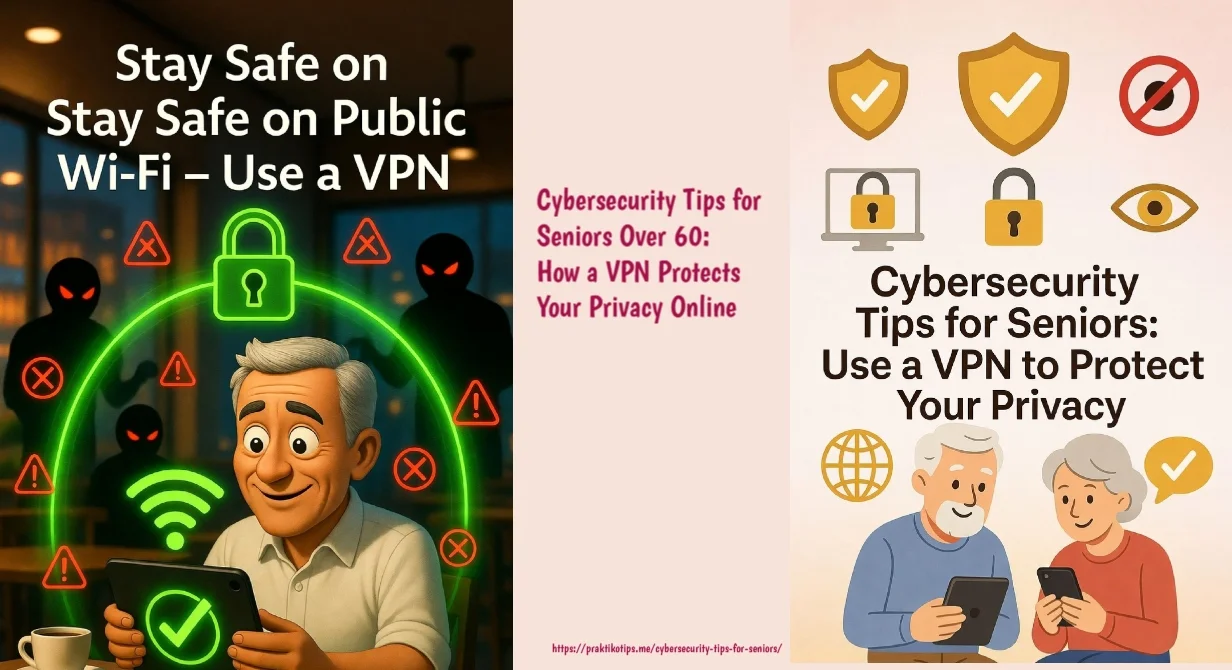
🔐 CYBERSECURITY TIPS FOR SENIORS
🎭 AI Voice Cloning
“Grandchild Scam”
📦 Fake Package Delivery Texts
⚠️ “Your iPhone Has a Virus!”
📲 QR Code Scams
💕 Romance Scams on Social Media
📧 Fake Government Refund Emails
🏦 Deepfake Video Call “Your Bank”
🐕 Pet & Hobby Scams
📺 “Your Netflix Payment Failed”
🛒 Shoulder Surfing + Card Theft
🚨 Common Online Scams Targeting Seniors - Cybersecurity Tips for Seniors
Phishing Scams
Fake messages from banks or agencies designed to trick you.
Public Wi-Fi
Airports and cafés can expose your data to nearby hackers.
Identity Theft
Stolen ID or credit card details through unsecure connections.
Data Tracking
Companies tracking and selling your browsing behavior.
🛡️ How a VPN Protects You
💡 Real-Life Example: Banking at a Café
Without a VPN
A hacker on the same network could potentially intercept your bank password.
With a VPN
Your connection is a locked tunnel. Spying is nearly impossible.
📲 Is it hard to use?
If you can tap an app icon, you can use a VPN. It's as simple as:
No technical knowledge required.
Internet Safety for Seniors: The Complete Checklist
A practical, categorized checklist designed to safeguard your online identity, accounts, and personal devices. Organized for easy reading, bookmarking, or printing as a handy reference guide.
1. Password & Account Security
- Use a unique password for every account (not the same one everywhere)
- Make passwords at least 12 characters, mixing letters, numbers, and symbols
- Turn on two-factor authentication (2FA) for email, banking, and social media
- Consider a password manager to store logins securely
- Never share passwords over the phone, email, or text — no legitimate company will ask
2. Email & Message Safety
- Don't click links or open attachments from unknown senders
- Be suspicious of urgent language ("Act now!" "Your account will be closed!")
- Hover over links to check the real destination before clicking
- Verify unexpected requests (even from "family") by calling them directly
- Delete or report suspicious emails instead of replying
3. Phone & Robocall Protection
- Don't answer calls from unknown numbers — let them go to voicemail
- Never give personal or financial info to an unsolicited caller
- Hang up on "grandchild in trouble" or "government agency" calls and verify independently
- Register your number on the National Do Not Call Registry
- Use your phone's built-in spam call blocking
4. Safe Online Shopping & Banking
- Only shop on websites starting with "https://" (look for the padlock icon)
- Use a credit card, not a debit card, for online purchases (better fraud protection)
- Check bank and credit card statements regularly for unfamiliar charges
- Avoid "too good to be true" deals from unfamiliar sites
- Set up account alerts for unusual activity
5. Social Media Privacy
- Set profiles to "Friends Only" instead of public
- Turn off location sharing on posts
- Be cautious accepting friend requests from strangers
- Avoid oversharing details like full birthdate, address, or travel plans
- Think twice before sharing personal photos of grandchildren publicly
6. Device & Software Maintenance
- Keep your computer, phone, and apps updated (updates often fix security holes)
- Install reputable antivirus/security software
- Lock your devices with a passcode, PIN, or fingerprint
- Back up important files regularly
- Log out of shared or public computers after use
7. Recognizing Common Scams
- Romance scams: Someone you've never met asking for money
- Tech support scams: "Your computer has a virus, call this number"
- Government impersonation: Fake Medicare or Social Security calls
- Grandparent/Emergency scams: "I'm in trouble, send money fast"
- Prize or lottery scams: Asking for a fee to claim winnings
8. When Something Feels Wrong
- Pause before acting — scammers rely on urgency and panic
- Talk to a trusted family member or friend before sending money or info
- Report scams to the FTC at reportfraud.ftc.gov or local authorities
- Change passwords immediately if you suspect a breach
🧠 Simple Tips for Staying Safe Online
Smart Habits That Work With a VPN
🔒 A VPN is powerful—but it works best when combined with safe online behavior. Follow these simple cybersecurity tips for seniors to stay protected every day:
❤️ Final Thoughts: Cybersecurity Tips for Seniors –It’s About Peace of Mind
Using the internet should feel safe—not stressful. It should empower you to connect, explore, and enjoy your daily life without worrying about who might be watching or trying to take advantage of you.
For older adults, following simple cybersecurity tips for seniors can make a huge difference. A VPN is not just another piece of technology—it’s a quiet, reliable layer of protection working in the background every time you go online. Whether you’re checking your bank account, chatting with family, or browsing the news, it helps keep your personal information private and secure.
More importantly, it supports something even more valuable: your independence.
You don’t have to rely on others to manage your online safety—you can take control with simple, smart steps.
You’ve spent years building your life, your memories, and your financial security. Protecting that doesn’t have to be complicated. By combining a VPN with practical cybersecurity tips for seniors, you create a safer digital environment where you can feel confident and in control.
Because in the end, it’s not just about technology—
it’s about peace of mind, confidence, and living freely in a connected world.
✉️ Get in Touch
Questions about exercises, nutrition, or home safety / Cybersecurity Tips for Seniors? Send us a message.


Please consider adding this thorough technical resource . https://www.vpnhacks.com/best-vpn-kodi.html
Thanks for the advice, I will consider
done & thanks
Which one do you recommend?
Prioritize security features. Look for VPNs that offer strong encryption protocols like OpenVPN, advanced security measures like kill switch and DNS leak protection, and a strict no-logs policy. Your online privacy and data protection should be their top priority.
Thank you for your sharing!