
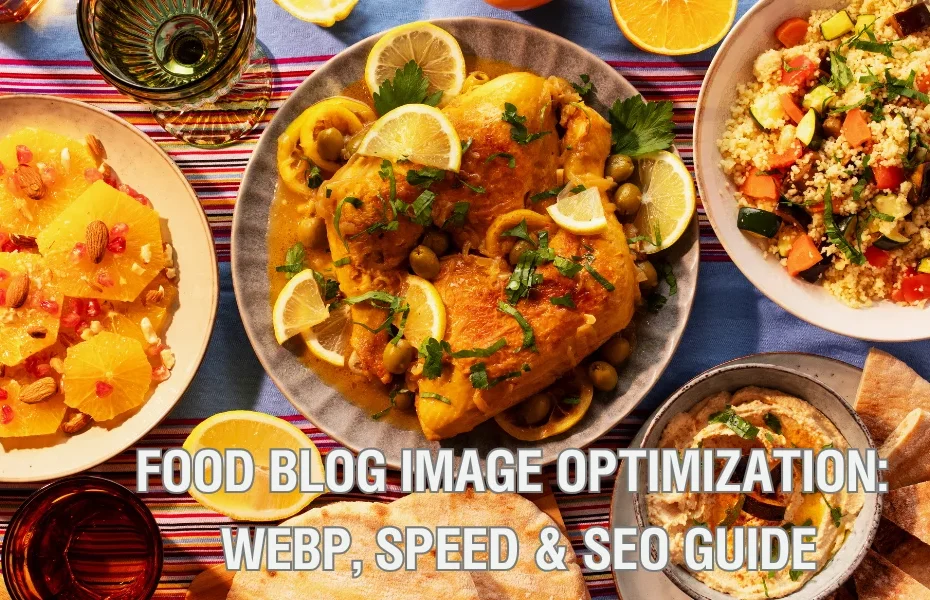
You’ve spent hours perfecting that pho recipe. You’ve captured the golden crust of Spanish rice. You’ve photographed the vibrant pink of dragon fruit against a morning sky. But if your images load slowly, your audience leaves before they see your story.
That’s where Food Blog Image Optimization comes in — not as a technical chore, but as a creative ally. By converting your photos to WebP, resizing strategically, and following a few simple rules, you can cut load times by 30-50% without losing the color, texture, and cultural details that make your content memorable.
This guide shows food bloggers, travel writers, and wellness creators how to master Food Blog Image Optimization — from free WebP conversion to noodle soup photography — so your readers spend less time waiting and more time cooking.
Whether you’re documenting a family recipe, reviewing a street food stall in Bangkok, or photographing your plant-based meal prep, Food Blog Image Optimization ensures your images load fast, rank higher on Google, and respect your audience’s time (and data plan).
Table of Contents
ToggleFood Blogger's Image Converter
🌱 Why Food & Wellness Creators Love WebP
- 🍲 Preserve cultural colors: Saffron yellow, broth amber, herb greens — WebP keeps them vibrant.
- ⚡ Faster recipes: 30% smaller files = readers spend less time waiting, more time cooking.
- 📱 Mobile-friendly travel stories: Your street food photos load instantly, even on 4G.
- 🌍 Lower carbon footprint: Smaller files = less energy transferred = sustainable web.
- 📈 Better SEO: Google rewards fast-loading food blogs with higher rankings.
Step 1: Upload your food photos (JPEG, PNG, AVIF)
Step 2: Choose resize option (keep quality, lose weight)
📌 Step 3: Click each converted file below to download
⚡ Performance Summary: WebP Excellence
Superior Compression
Achieve file sizes up to 34% smaller than JPEG with zero visible quality loss.
SEO Impact
Directly improves Google PageSpeed scores and Core Web Vitals (LCP) for 2026 rankings.
Universal Support
Now 100% compatible across Chrome, Safari, Edge, and mobile browsers.
📸 How to Photograph Asian Noodle Soups for Web & Print
Pho, ramen, kuay teow neua — capture the steam, broth clarity, and texture that makes readers hungry.
🥣 Gear & Settings (Start Here)
- Lens: 50mm or 85mm prime (shallow depth of field)
- Aperture: f/2.8 – f/4 (blurs background, keeps noodles sharp)
- Shutter speed: Minimum 1/125s (to freeze steam without blur)
- ISO: 400-800 (indoor restaurants) or 100-200 (natural light)
- White balance: Custom or "cloudy" (warms up golden broths)
💡 Lighting for Broth Clarity
🍜 Composition: What to Include
- Top-down (flat lay): Shows all toppings (herbs, chili, lime, bean sprouts on the side).
- 45-degree angle: Classic "eating view" — captures noodles draped over chopsticks.
- Close-up of broth: Focus on a single floating herb or slice of meat to show texture.
- Action shot: Pouring hot broth from a kettle into the bowl (creates steam and splash).
🔥 Capturing Steam (Without Fogging the Lens)
- Use a handheld steamer or heat the broth separately just before shooting.
- Shoot from slightly above (not straight on) so steam rises away from the lens.
- Set focus manually on the noodles/meat, then wait for a gentle wisp of steam — not a cloud.
- Add steam in post (Photoshop) if needed: soft white brush, low opacity, motion blur.
🎨 Editing for Web & Print
- White balance: Warm but not orange (target 5000-5500K for golden broth).
- Contrast: +10 to +15 to make broth pop without losing highlights.
- Clarity/Texture: +5 to +10 to enhance noodle texture and herb detail.
- Export for web: 2000px long edge, 72 DPI.
- Export for print: 300 DPI, Adobe RGB, 4000px long edge.
❌ Common Mistakes (And How to Fix)
- Muddy broth: Underexpose by -0.3 to -0.7 stops to retain golden color. Or add a warm gradient in post.
- Clumpy noodles: Rinse cooked noodles in cold water, then reheat briefly in broth just before shooting.
- Flat herbs: Spray herbs with a fine mist of water. They'll look fresh and vibrant.
- Slow website: Use WebP (via our free WebP converter tool) and implement lazy loading on your blog.
📋 Recipe Photo Shot List (Copy This)
- ☐ Hero shot (45-degree angle, full bowl, steam visible)
- ☐ Top-down (all ingredients arranged)
- ☐ Close-up of noodles being lifted with chopsticks
- ☐ Broth pour (kettle to bowl, splash)
- ☐ Condiment side table (sauces, herbs, lime)
- ☐ Restaurant/street stall context (vendor, pot, smoke)
- ☐ Step-by-step (if recipe is homemade: browning meat, simmering bones, straining broth)
📸 Final Checklist Before Uploading to Your Blog
- ☐ Images edited (white balance, contrast, clarity)
- ☐ Converted to WebP (using our free WebP converter tool)
- ☐ Alt text added with dish name + key ingredients
- ☐ Page speed tested (Google PageSpeed Insights)
- ☐ Social preview images cropped (4:5 for Instagram, 16:9 for Pinterest)
Convert your images to WebP for free using our free WebP converter above.
⚡ Performance Summary: WebP Excellence - Food Blog Image Optimization
Achieve file sizes up to 34% smaller than JPEG with zero visible quality loss. Learn more on our image compression guide.
Directly improves Google PageSpeed scores and Core Web Vitals (LCP) for 2026 rankings.
Now 100% compatible across Chrome, Safari, Edge, and mobile browsers.
🍜 Summary: Why Food Blog Image Optimization Matters
Food Blog Image Optimization isn't just about file sizes — it's about respecting your readers, preserving cultural food colors, and improving your site's SEO. A slow-loading recipe page frustrates hungry cooks and tells Google your content isn't worth ranking.
By converting JPEGs and PNGs to WebP, resizing images to fit your theme, and adding descriptive alt text, you can cut load times by 30-50% without sacrificing quality. That means lower bounce rates, happier visitors, and more time spent reading your stories. Read our food blogging SEO checklist for complete guidelines.
Remember: Food Blog Image Optimization is a continuous process. Every time you publish a new recipe or travel guide, run your photos through our free WebP converter tool, test your page speed, and adjust. Your readers (and the planet) will thank you — smaller files mean less energy transferred and a lower carbon footprint.
Ready to optimize? Use the converter above, download your WebP files, and watch your page speed soar. And don't forget to share your before/after load time wins in the comments.
📢 share this article
✨ tap to share — help others crack the comment code


